
The Myaamia Center is excited to announce the new and improved Myaamia-Peewaalia dictionary application is now available!
While the function of the application remains the same, there are some important differences between this app and its predecessor.

The new Myaamia dictionary is a web application, rather than a mobile application meaning it can be added to any device, including desktops, laptops, tablets, and, of course, mobile phones. Since it’s a web application, it is not available in the app store but must be downloaded from a web browser.
Supported mobile browsers:
Safari
Google Chrome
Firefox
Edge
Orion
Supported desktop/laptop browsers:
Safari
Google Chrome
Edge
We recommend downloading the newest version of the app as soon as possible, as the old one is no longer being updated and will be removed from the app store in August 2024.
To add the application to your mobile device:
- Visit mc.miamioh.edu/ilda-myaamia/dictionary/install and click the “install” button on the page.
- Once clicked, you will see a pop-up message with instructions. These instructions will guide you through adding the app.
- Click the “share page” button. Once clicked, several options will appear for sharing the page.
- Select the “add to homepage” option.
That’s it! You can now find the app on the homepage of your mobile device!
To install the app on desktops/laptops:
- Visit the same page and click the “install” button.
- Safari users will click the “share page” button in the upper right corner and then select “Add to Dock”.
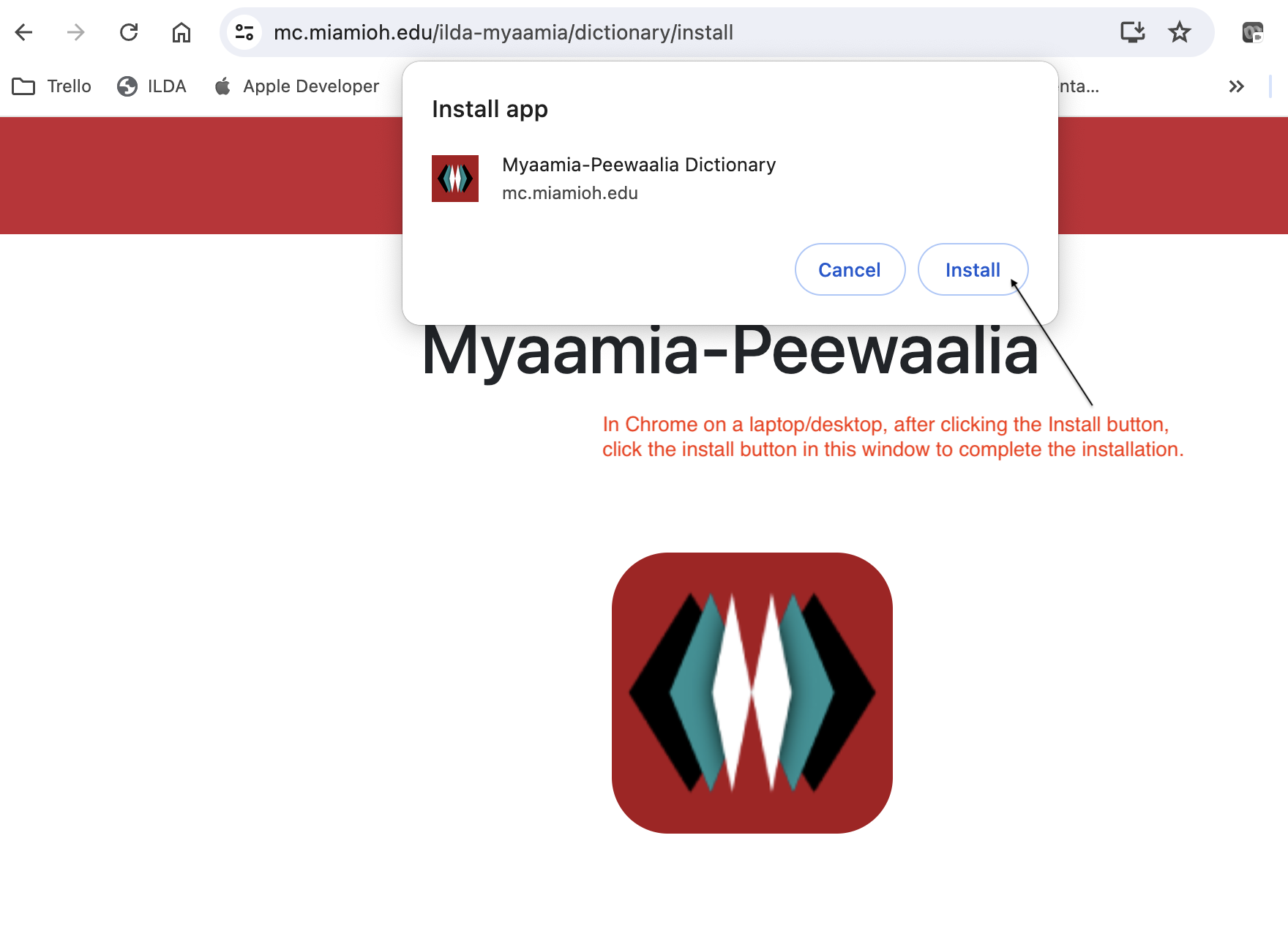
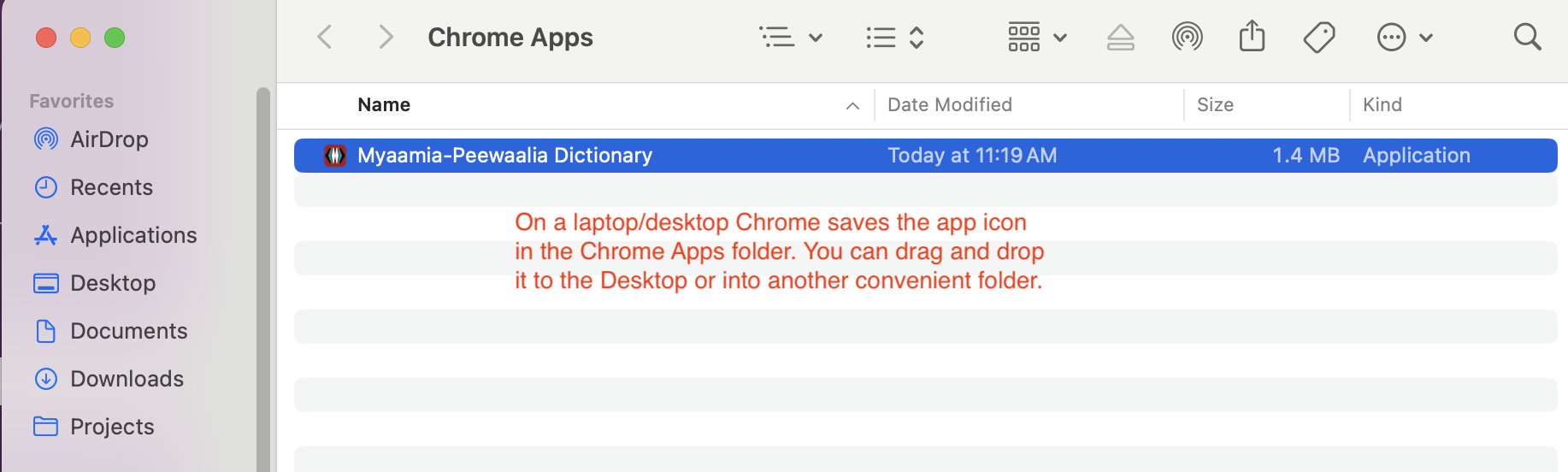
- Chrome users will see a pop-up window with a second “Install” button which will install the app.
The dictionary website: www.myaamiadictionary.org will remain the same and can be accessed from any browser.
See more details about this process at the end of this post.
So, why the change?
It’s been 12 years since the Miami Tribe started developing the Myaamia-Peewaalia dictionary and Indigenous Language Digital Archive (ILDA), and throughout that time we’ve made many changes and improvements to the software. Switching to a web application format allows the software development team to easily make improvements, update the app, and fix bugs. In addition to streamlining the maintenance of the software, the new app will also improve the user’s experience. All users will have the same experience regardless of their device, unlike the previous dictionary that requires separate versions for the Apple and Android app stores.
This update also separates the Myaamia-Peewaalia dictionary from other language communities using the ILDA platform, making the app easier to navigate. Overall, we’re very excited about this update and hope you will add the new Myaamia-Peewaalia dictionary to your devices! If you have any questions or need assistance setting up the app, please contact the Myaamia Center by sending an email to: myaamiacenter@miamioh.edu
Learn more about the dictionary and the Myaamia Center’s other digital resources:
miamioh.edu/myaamia-center/research/digital-resources/index.html
Instructions:
Installing on mobile devices:
This video walks through the steps of installing the app on a mobile device. While this example was done on an iPhone, it should be similar on all mobile devices.
View the slides below for screenshots of the dictionary app installation process on mobile devices.

Step 1: Visit mc.miamioh.edu/ilda-myaamia/dictionary/install on your device. 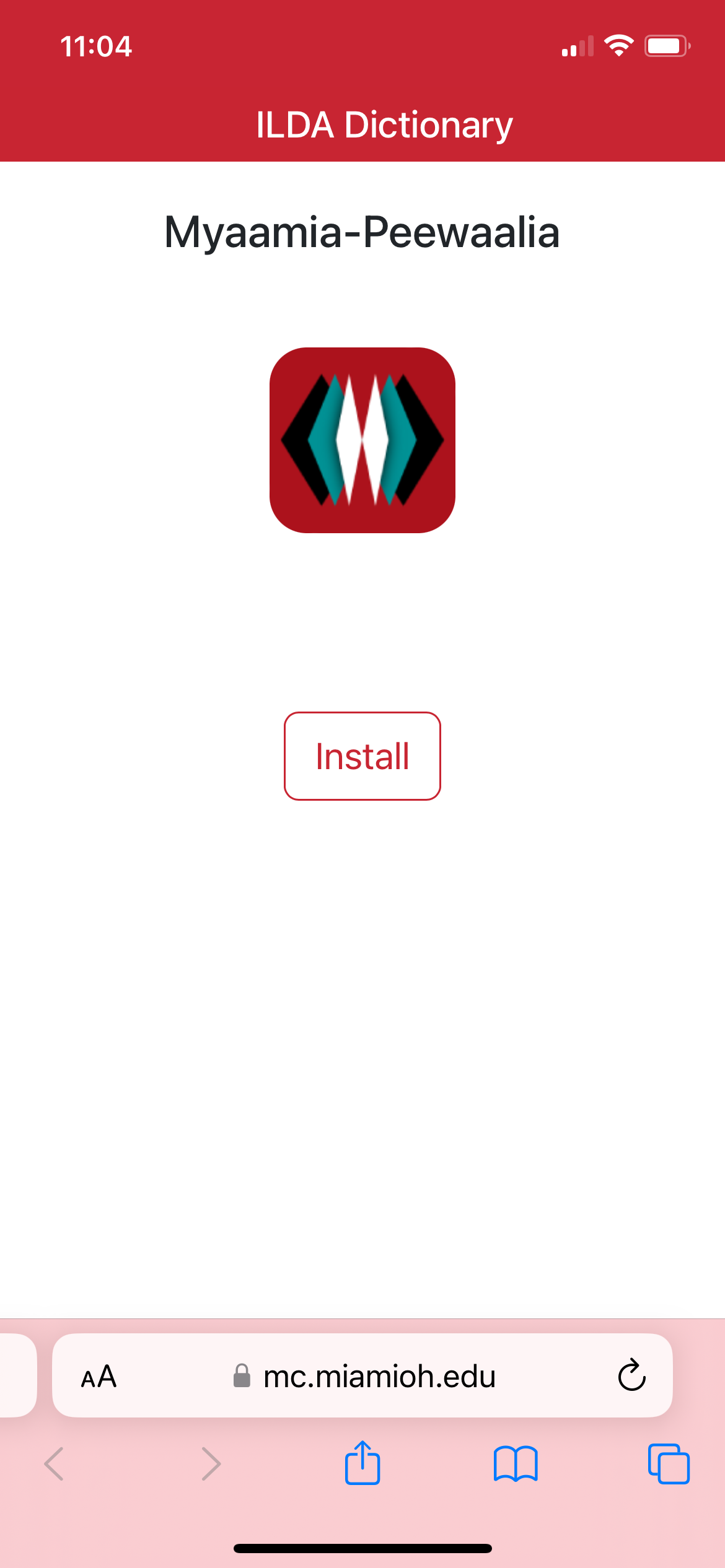
Step 2: Click the “install” button on this page. 
Step 3: You should see this page after clicking “Install.” Click the “share” button, circled in red. 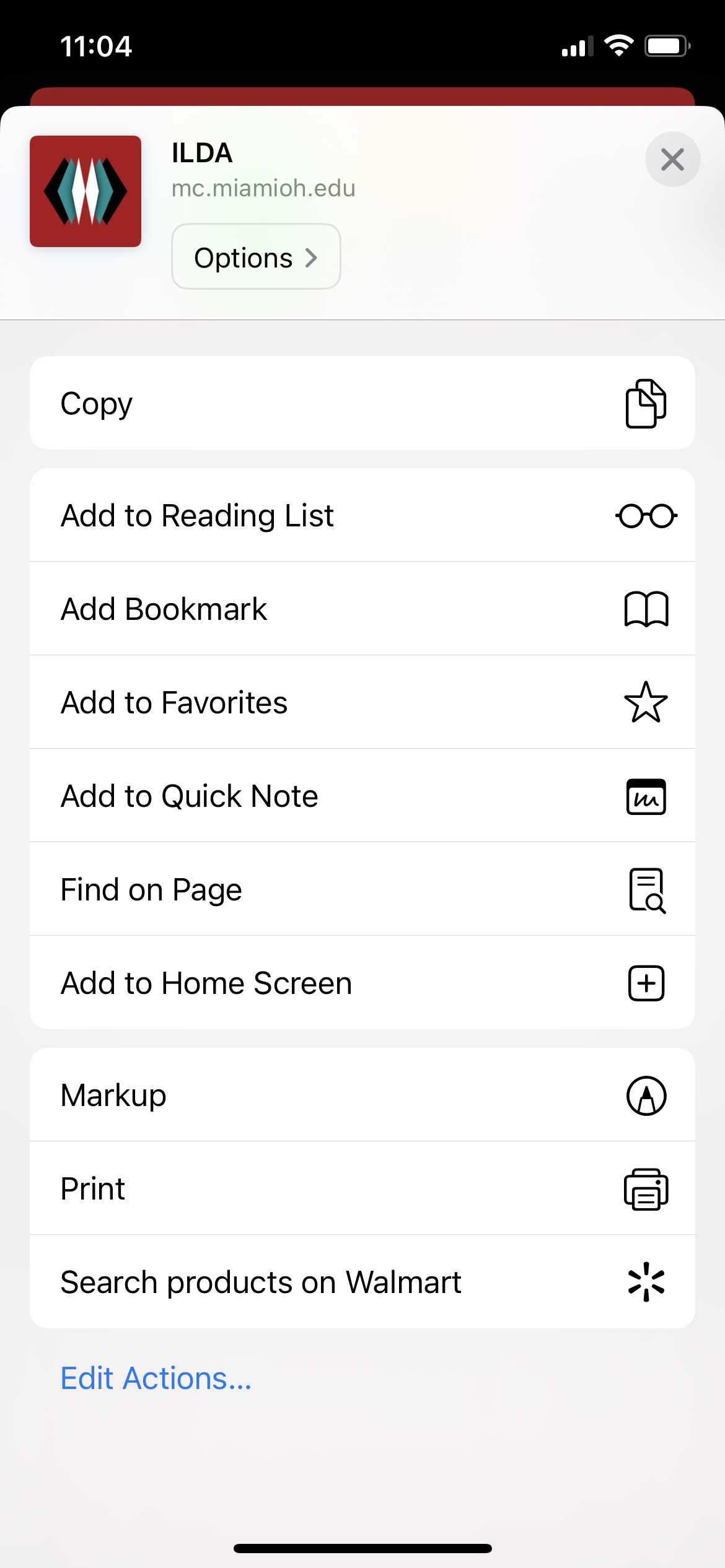
Step 4: When you see this page, scroll down and select the “Add to Home Screen” option. 
Step 5: Confirm the decision by clicking “Add.” 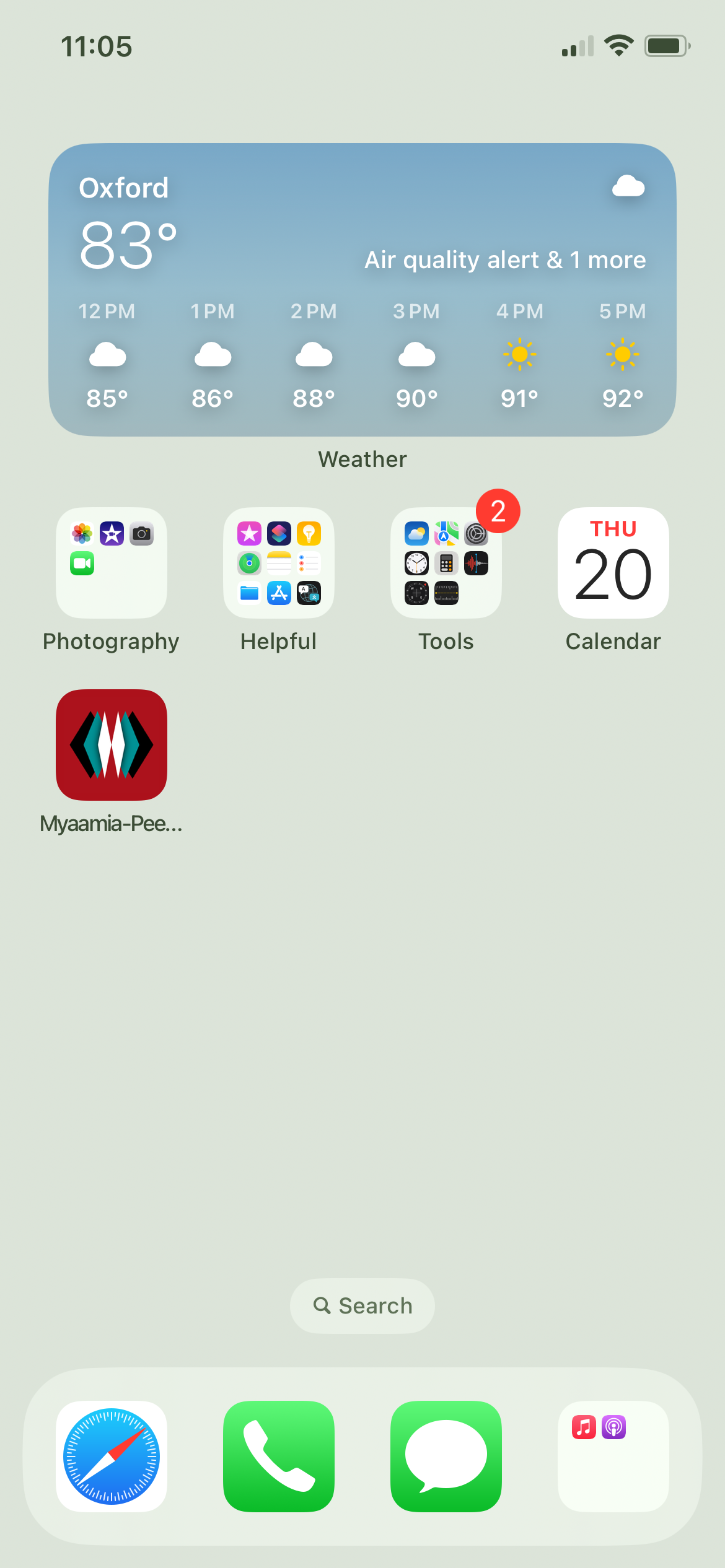
Step 6: You can now access the app from the home screen of your device.
Installing on a laptop or desktop:
Safari:
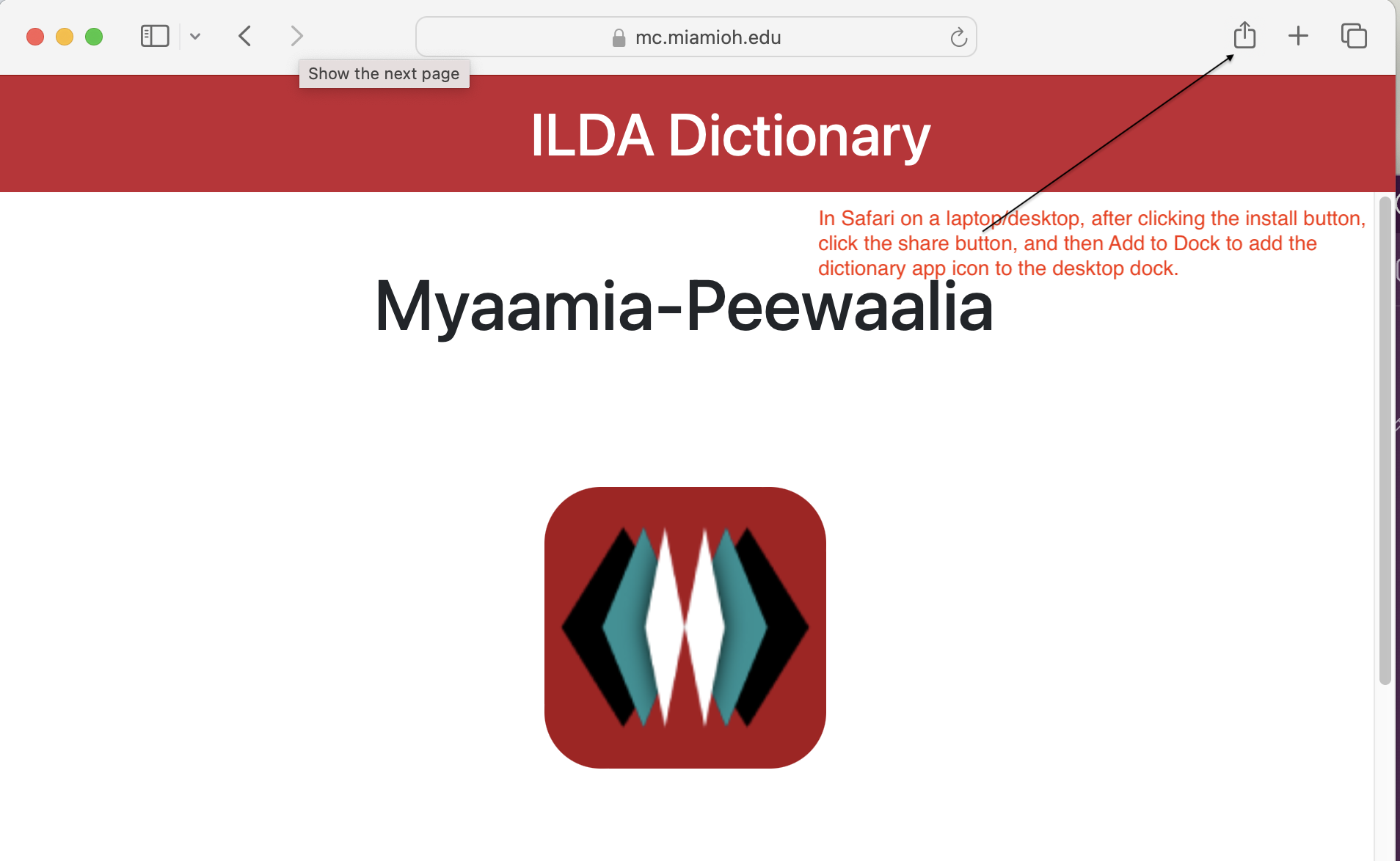
Chrome:
 Aacimotaatiiyankwi
Leave a comment