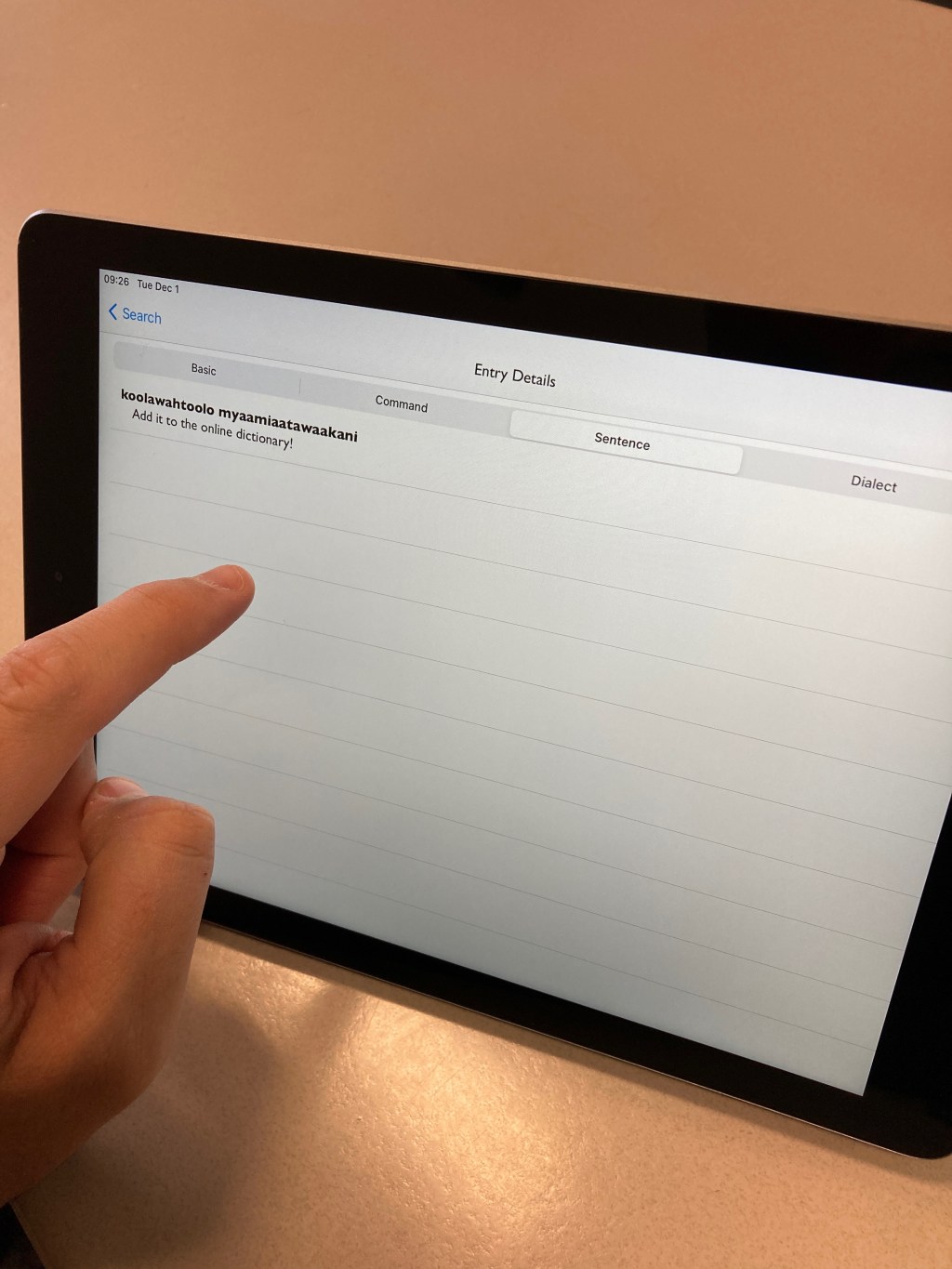
aya ceeki, the purpose of this post is to help you understand how the new Myaamia Dictionary website and mobile app work and to give you some tips for how to search on them effectively. For those who have yet to download the dictionary app, check out the Dictionary Update post for instructions on how to set up the app in just a few easy steps. We released an updated version of the website and mobile app for Android and Apple devices on September 1, 2020. You can learn more about this change in our Myaamia Dictionary 2.0: Why the Change post.
When you open the mobile app, the three options are “search”, “browse”, and “feedback.” If you’re using the website, these options appear in the top right corner of the screen. The search function allows you to search the whole dictionary, in Myaamia or English, by word or phrase. If you are interested in just scrolling through and seeing all of the content in alphabetical order, use the browse button. The last option, feedback, is for requesting a word or phrase you cannot find or if you would like to report a problem, such as an incorrect sound file. You can watch a walkthrough for mobile devices of these functions in our Intro to Myaamia Dictionary Video on YouTube.
The dictionary is organized by what we call “entry headers,” which are pieces of a word that have a meaning but still need something added to them to make a full word or sentence. These entry headers won’t be visible on the app in order to simplify the layout for small screens, but it is at the top of every entry on the web version. Within these entry headers there will be a few different subsections depending on what kind of word they are (noun, verb, etc.). A verb, for example, will have the subsections “basic forms,” “commands,” and “example sentences” while a noun will have “basic forms” and “example sentences.” These are meant to help you with the most common and ready-to-use words and phrases so you can use them immediately. There are also audio files attached to every word for when you want to practice speaking. Make sure your mobile device is not in “silent” mode in order to hear the sound files!
Now, on to the most important part, searching the dictionary. The first thing you need to know is that the dictionary is a work in progress and we are constantly improving the search function. There are a ton of Myaamia words and phrases on the dictionary. If you’re searching for a common or useful phrase, then it is most likely on the dictionary. If you’re not finding what you’re looking for, it might be because of how you’re searching. Searching the dictionary is different from using a search engine, like Google or Bing.
Here are some tips and tricks:
- Spelling is important! No matter which language you are searching in, make sure your spelling is accurate.
- When searching for a phrase, the order of your words might affect whether or not you find the translation. For example, try searching “turn the light on” and “turn on the light.” Why does only the second one have search results even though they mean the same thing? This is because the search function only searches exact matches. Be sure to think about what you type and try different variations if your translation doesn’t come up.
- When searching for something that you can say many different ways, try rephrasing your search if you get no results. For example, if you search “I am working out,” nothing will appear, but if you search “I am exercising” then you will find what you are looking for.
- When a lot of results show up in your search, sometimes your answer may be down the list quite a bit so do not be afraid to keep scrolling.
You can watch a walkthrough for mobile devices of these search function tips and tricks in our Searching Tips and Tricks for Myaamia Dictionary app Video on YouTube.
Related Posts
 Aacimotaatiiyankwi
Leave a comment